
Affiliate disclosure: As an Amazon Associate I earn from qualifying purchases. This article contains paid links to Amazon. Buying these items is optional and is not required to book a ceremony.
You do not need a decorated venue or a room full of new equipment to make an online wedding feel special. Start with a quiet corner, light that lets everyone see your faces, and a stable camera. A simple backdrop and a few flowers can add a personal touch, but they are optional—not requirements for your ceremony.
The goal is a setting where you can focus on each other and hear your officiant clearly. Here is how to build it around what you already own, with four optional additions if you want them.
Start with the camera view, not the whole room
Choose a space where you can comfortably sit or stand for the ceremony. Open your camera preview before moving furniture or buying decorations. The camera may show only a small part of the room, so concentrate on that area.
Move laundry, bright packaging, and other distractions out of the frame. Check for mirrors that reveal things you would rather keep private. Leave enough space for both of you to move naturally without disappearing from view. If you are joining from different locations, each partner can follow the same setup steps independently.
A quiet, comfortable room is more useful than an elaborate setting where you struggle to hear.
1. Find flattering light before buying extra lighting
Try facing a window or sitting at a slight angle to it. Avoid putting a bright window directly behind you; it can make your faces harder to see. Open the camera preview at approximately the time of day you plan to hold the ceremony, since the light may be different from when you first arrange the room.
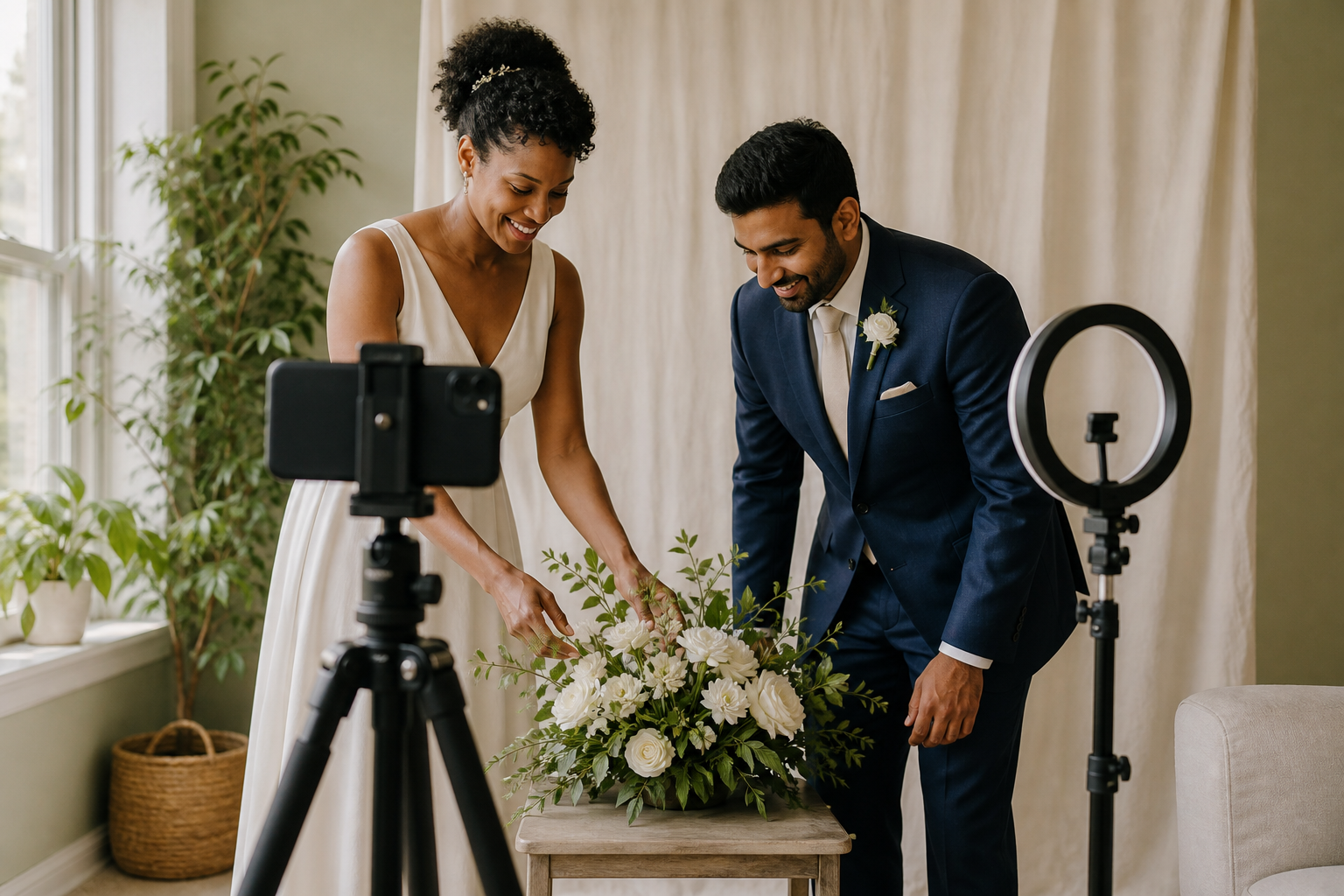
If natural light is not enough, a small LED video light on Amazon (paid link; we may earn a commission) is an optional way to add illumination. Look for brightness controls, secure mounting, and a power connection that works with your setup. Check which clips, adapters, or stands are included rather than assuming a floor stand comes with the light.
Use a comfortable brightness and adjust the position if you see glare in glasses. The aim is clear faces, not the brightest possible room.
2. Keep the background simple
A plain wall, tidy bookshelf, or existing curtain can make an attractive background. Choose a spot that draws attention to you rather than to patterns or clutter.
If you want a more coordinated look, a simple neutral backdrop on Amazon (paid link; we may earn a commission) can create a dedicated ceremony corner. Before purchasing, measure the area that appears on camera and check how the fabric will be supported. Some listings include only the fabric, while others include a stand or clamps.
Secure the setup according to the manufacturer's instructions, keep walkways clear, and avoid placing fabric near heat sources or open flames. Leave yourself enough room that you will not brush against the backdrop during the ceremony.
3. Add flowers without blocking the view
A tabletop flower arrangement on Amazon (paid link; we may earn a commission) can bring color and a sense of occasion to a small space. Keep it low enough that it does not hide your faces or hands when you sit down.
Fresh flowers, faux flowers, or greenery can all suit the setting. Choose based on your preferences, delivery timing, and whether you want to reuse the arrangement. Check the dimensions carefully: a product photographed close up may look larger than it will on your table.
If either partner is sensitive to fragrance, consider an unscented option. Keep water-filled vases away from your phone, laptop, and power connections.
4. Give your camera a steady position
If you plan to use a phone, a phone tripod on Amazon (paid link; we may earn a commission) can help keep the picture steady without asking someone to hold it throughout the ceremony. Check that the phone holder fits your device with its case on, that the tripod reaches a useful height, and that the mount supports the orientation you plan to use.
Start with the camera near eye level, then adjust until both faces are comfortably framed. Test the actual camera you will use and make sure you can both see and hear the officiant and both witnesses throughout the live ceremony. Leave room for a charging cable without creating a trip hazard.
Do a short rehearsal
Test your own setup before the appointment; this is not a rehearsal or consultation with your officiant. Simply Married Online does not offer pre-ceremony consultations. Before the ceremony, check:
- Both faces are visible if sharing a device; each partner is visible on their own camera if joining separately.
- Voices are clear without leaning toward the microphone.
- Lighting is comfortable and does not create distracting glare.
- The camera, flowers, and backdrop are secure.
- Your device has power and the charging connection is accessible.
- Notifications and avoidable background noise are minimized.
- Nothing private is visible in the frame.
Use the meeting platform specified in your booking instructions. If that platform is Zoom, its video-testing instructions explain how to preview your camera before a meeting. These decorating tips do not replace the license, witness, or other instructions for your ceremony.
What should you buy first?
Buy nothing until you test your existing setup. If the picture is unstable, address camera support first. If faces are difficult to see, work on lighting. A backdrop and flowers are finishing touches, not fixes for an unreliable connection or unclear audio.
Before ordering any optional item, check compatibility, dimensions, included accessories, delivery dates, and return terms. This guide suggests product categories; it does not claim that particular products have been personally tested.
Keep the focus on the ceremony
Your home does not need to resemble a wedding venue. A comfortable space, clear picture, and a few thoughtful details can make the setting feel like yours.
Still organizing the ceremony itself? Read our step-by-step online marriage guide. You can also explore what happens after the ceremony or view ceremony options.